Get the free app
Download the iClassPro app. When it asks for your organisation, type littlefishes (one word, all lower case).

Customer Portal
For families already swimming with us in Oakhurst. Log in to book classes, mark absences, use make-up tokens and manage payments in iClassPro.
Customer login
Already enrolled? Log in below. New to Little Fishes? Start with a free swim trial— then create your account when you are ready to enrol.
What you can do
✓ Mark your child absent
✓ Book make-up lessons
✓ Find classes and enrol
✓ Update your family's details
✓ Book a pool party
✓ Read our latest news
The iClassPro app
Download our app
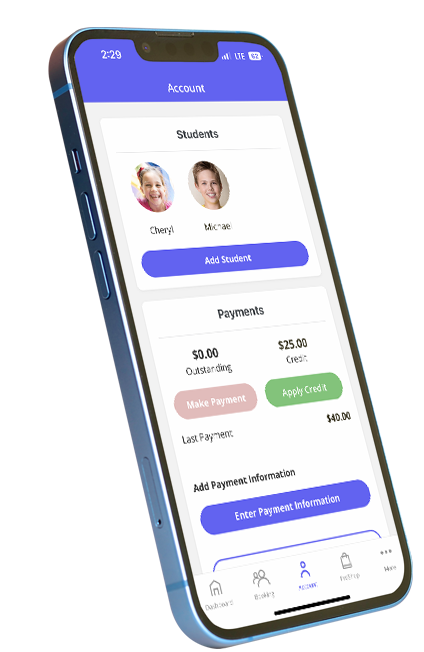
Manage lessons on your phone: mark absences, book make-ups, view class times and pay fees. Download the free iClassPro Customer Portal app.
Turn on notifications so you do not miss class updates from Little Fishes.
When the app asks for your organisation, type littlefishes (one word, all lower case).

On a computer? Scan with your phone camera to download.
Missing a lesson? How to book a make-up
Each child can have up to 15 make-up lessons each calendar year.
Step 1
Log in
Open the iClassPro app, or log in to the Customer Portal on a computer.
Step 2
Mark the absence
Mark your child away in the Customer Portal before the class starts. Your make-up token appears after the class finishes.
Step 3
Get your token
Your make-up token is issued after the scheduled class finishes.
Step 4
Book a make-up
Use your token to book a make-up class within 60 days. All tokens end on our last day of trading before Christmas.
Read the full make-up policy on our FAQs page, or call 02 9625 0701.
Need a hand with the portal?
Our team at 8 Florence Street, Oakhurst can help you log in, update your details or book a make-up.
New to Little Fishes?Book a free swim trialfirst. The form goes straight to our team.